

New Updates on the Basket Order and Discover Stocks for Android App



What’s New?
- Now you can check profit and loss inside the Basket and make changes to the Basket effortlessly.
- Analyse the patterns in financial markets through the Candlestick screeners.
- Get the Lists of stocks that you follow all in one place.
1. Upgraded Basket Order Experience
Experience a seamless basket order journey with our latest Angel One Android app updates!
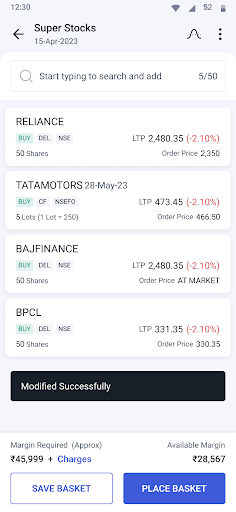
Now, no need to manually save your basket, as it will be automatically saved with every change you make. This ensures that you never lose your progress. You also get a higher basket limit, where you can add up to 50 securities for a more diversified portfolio.
After placing your basket order, you will land on a permanent summary page displaying real-time Profit and Loss for each executed order. You can easily track your basket’s profit and loss both inside and outside the basket.
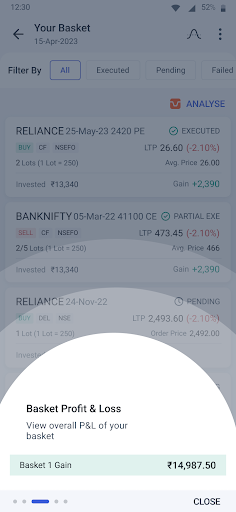
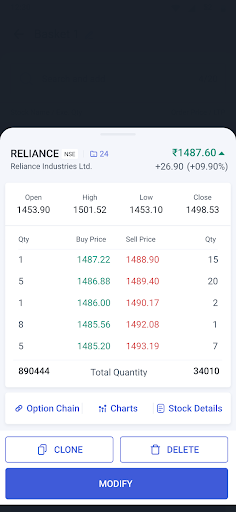
Along with that, you can clone, rename, and delete your executed baskets easily. This new addition is to give you greater control over your orders.
Once your basket is modified as per your preference, you can save or place the order in a step, as shown in the screenshot below.
For more convenience, we have added a new auto-reset feature to your Basket Orders. This ensures your basket PnL is refreshed daily. This allows you to start fresh each working day. Upgrade your basket order experience with Angel One – empowering your seamless and efficient investment journey.
2. Candlestick Screens
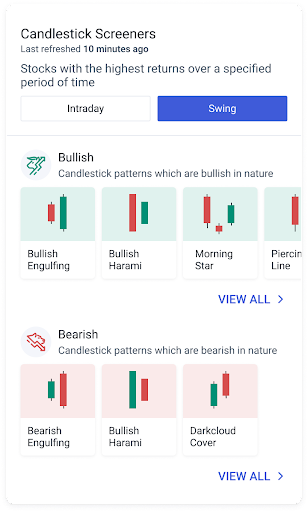
To help traders analyse patterns in financial markets based on candlestick charts, we’ve added new Candlestick Screens. Open the Discover Stocks section and scroll down to Candlestick Screens to make informed decisions, anticipate trends and time your trade more effectively. You can also interact with the charts by zooming in and zooming out to capture every change.
3. List of Stocks
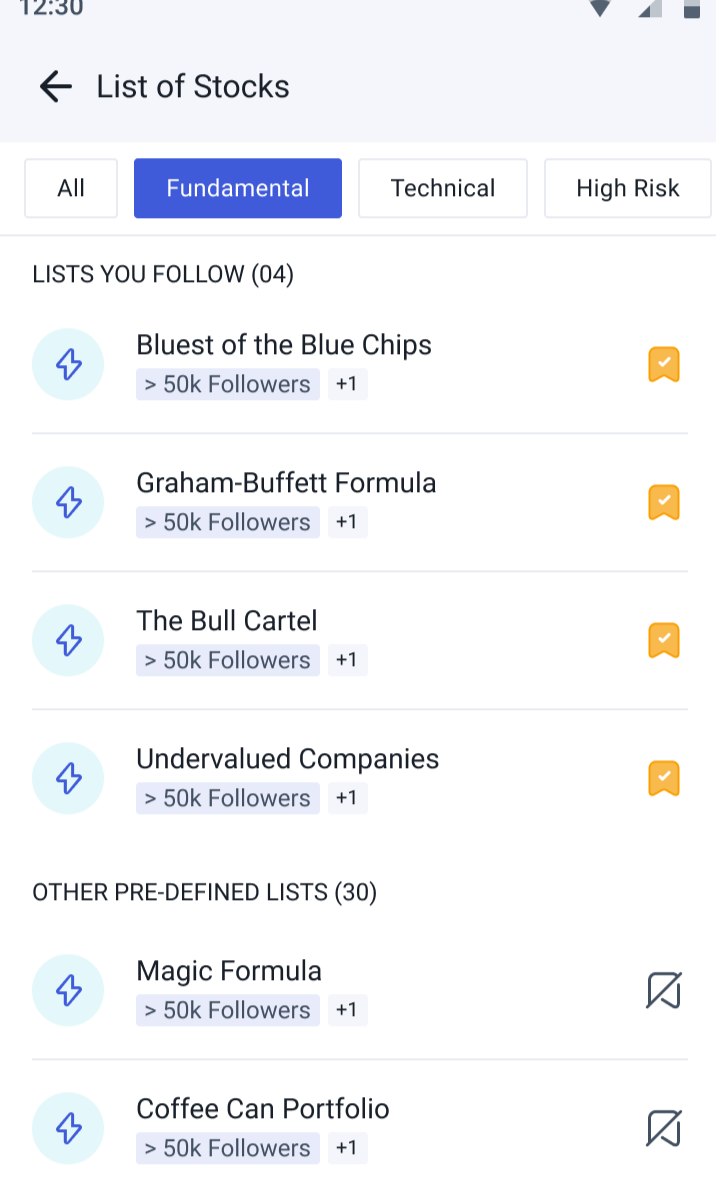
We have created a new page for all the lists of stocks where you can find the lists of stocks that you follow and the other predefined lists as well. This way, you can get a quick overview of lists of stocks, which provides important information regarding a stock.
Go to the ‘Discover Stocks’ on the homepage and scroll down to the List of Stocks section.
Additional Updates
Along with the major updates given above, we also have certain upgrades to the platform to make your app journey smooth.
- Quickly track your family portfolio from your profile. You can add and select the family member’s name and monitor their investment portfolio.
- Now, when you are stuck with a question and need assistance, you can get your queries resolved instantly through ‘Ask Angel’. This can be your personalised assistance that is available in the Help & Support section.
Conclusion
For more updates on the stock market and the latest features on Angel One, follow the Angel One blog or the Angel One Community page! Update your mobile app to its latest version to enjoy the updated features.
Published on: Jan 23, 2024, 4:08 PM IST
We're Live on WhatsApp! Join our channel for market insights & updates
- Effortless Investing: Introducing 1-Click SIP on Angel One
- Angel One Options Strategy Builder: An Effective Tool for Option Traders
- From Blurred Lines to Crystal Clear Vision: Tick By Tick on Angel One
- Angel One App Update: Elevating Your Investing Experience
- Never Miss a Market Opportunity With Angel Alerts
Related Articles

Enjoy ₹0 Account Opening Charges
Get the link to download the App


