Set Your Exit Triggers Now — Protect Your Positions

What if your question is, “I need advanced tools to manage risk across all my trades”. Yes! We have a solution for this.
Risk control is necessary for novice traders and professionals who are too busy to spend their days in front of screens. Days of earnings might be lost with a single poor trade. Manual monitoring is error-prone and stressful.
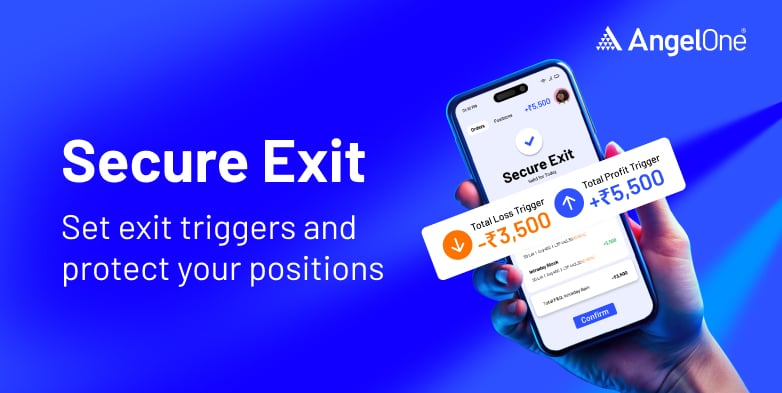
Angel One has introduced the feature ‘Secure Exit’ that serves as a safety net. This feature serves as a seat belt for trading and protecting your capital.
About the Feature
A Secure Exit feature that lets traders set total profit and loss triggers on their open equity intraday and future, and options positions. When thresholds are hit, all positions close automatically, and pending orders are cancelled. This means this feature is for anyone who enters the day with an overall performance in mind. Not for individual positions but for all positions open for the day.
How Does this Feature Work?
- Secure Exit empowers Angel One users to automate portfolio exits based on total P&L thresholds.
- Traders can set profit and loss caps, and the system ensures execution without manual intervention.
- Set profit & loss triggers via Secure Exit option directly from Positions page.
- Automatic cancellation of all open orders before square-off.
- Real-time notifications when exits are triggered.
- Modify or remove triggers anytime.
Steps to Use this Feature
- Login to Angel One App
- Go to ‘Orders’ page
- Click on ‘Secure Exit’
- Enter Trigger values for ‘Total Gain’ and ‘Total Loss’
- Click on ‘Proceed’
- Check all the details and give ‘Confirm’
- ‘Exit At Market’ can be seen against each chosen scrip
- Secure Exit is triggered
- You can check the ‘Order Summary’
- You can edit or remove anytime from the Positions page
With Secure Exit, you can lock in gains and exit at the right time without constantly watching the market. With this feature you trade smarter, stay protected, and focus on your next opportunity with confidence.
Published on: Oct 3, 2025, 4:56 PM IST

Team Angel One

- Angel One Integrates TradingView Access for Clients: Here is What the New Trading Setup Includes
- Angel One and ClearTax Are Making Sure Your FY26 Tax Filing Is One Less Thing to Worry About
- Market Price Protection (MPP) on Angel One: Safeguarding Your Orders
- Angel One explains how to start trading in 1 hour
- Explore the power of ARQ – The revolutionary investment engine by Angel One
Related Articles



Enjoy ₹0 Account Opening Charges
Get the link to download the App


