Find Assets, Place Orders and Track Them, Now On A Single Page: TradeOne!


Placing orders, especially multiple ones in quick succession, is not a time when you should have to switch screens too many times. You should be able to check multiple data points quickly and in the context of the price action, trading balance, etc and place the order with minimum manual effort. An ability to do so will help you make more focused decisions in trading.
To enable this, Angel One’s Web App brings to you TradeOne, a separate page dedicated to bringing key data and order-related functions in one place.
Let us now check out what TradeOne is capable of!
What’s New?
Trading stocks and options is easier than ever before with TradeOne! You no longer have to keep switching between different pages such as charts, Watchlist, Orders, Portfolio in order to check basic details such as option chain and market depth. In fact, you can now get more than just access data on a single page. Once you have decided on the order, you can also directly place the order (or add it to a basket) and track it from the same page as well.
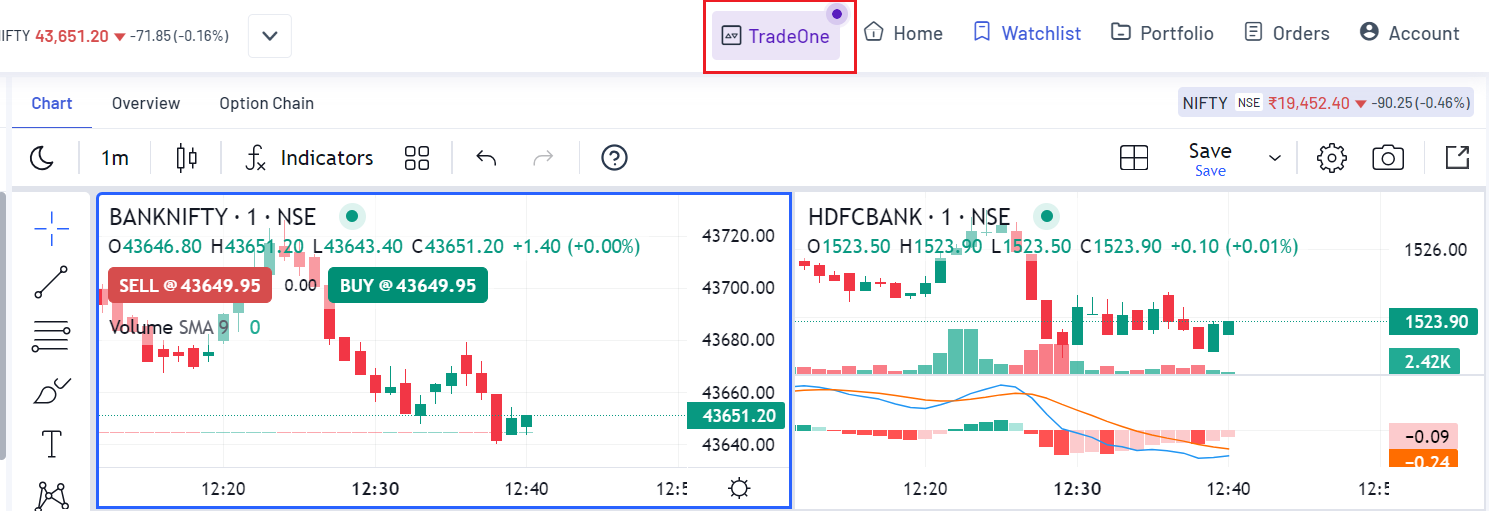
Fig.: Access TradeOne from the top.
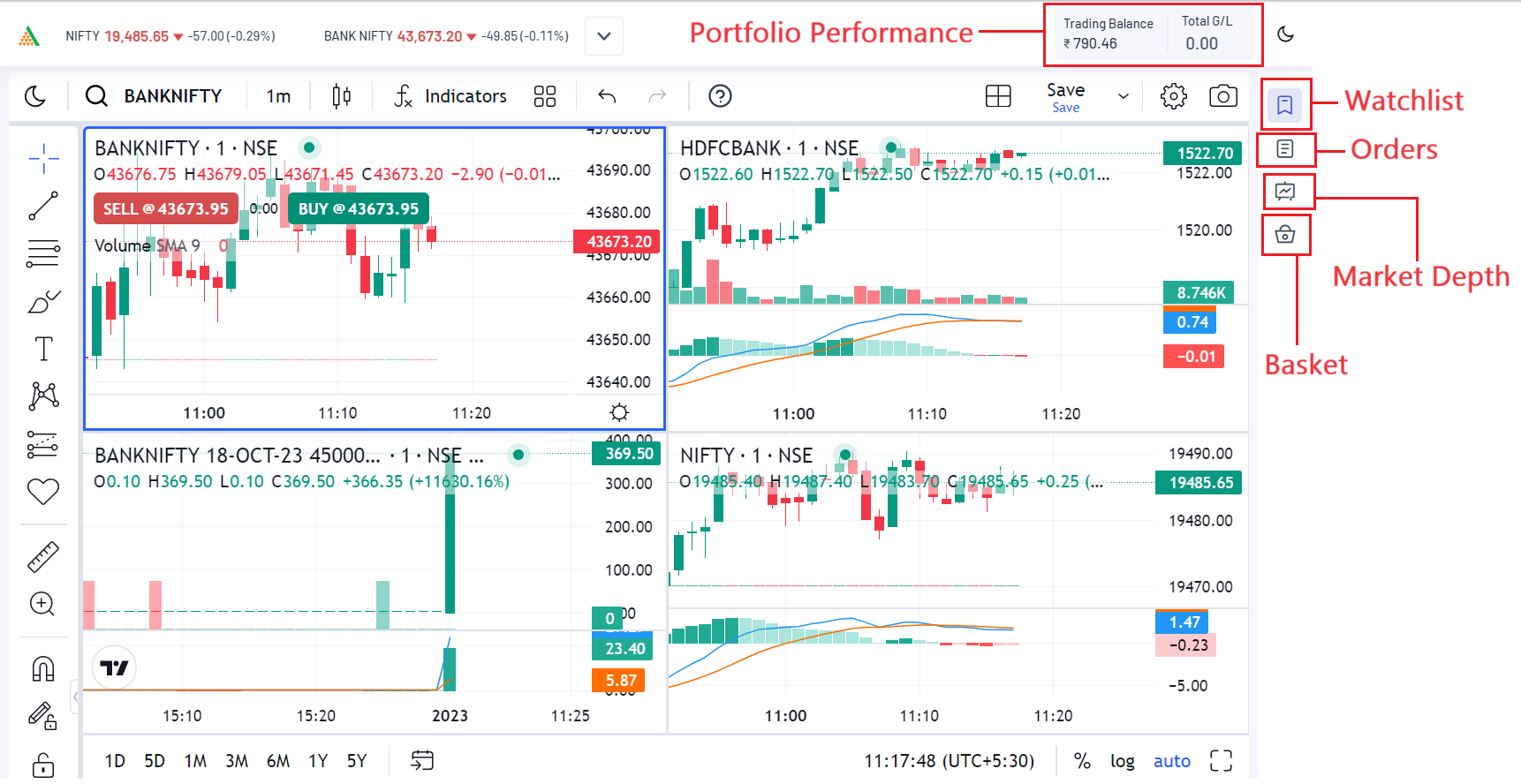
Fig.: TradeOne interface
To be specific, you can now perform the following actions directly from the same page:
- Access the option chains of important indices – Nifty, BankNifty, Finnifty, Midcap Nifty Select, Sensex, and Bankex.
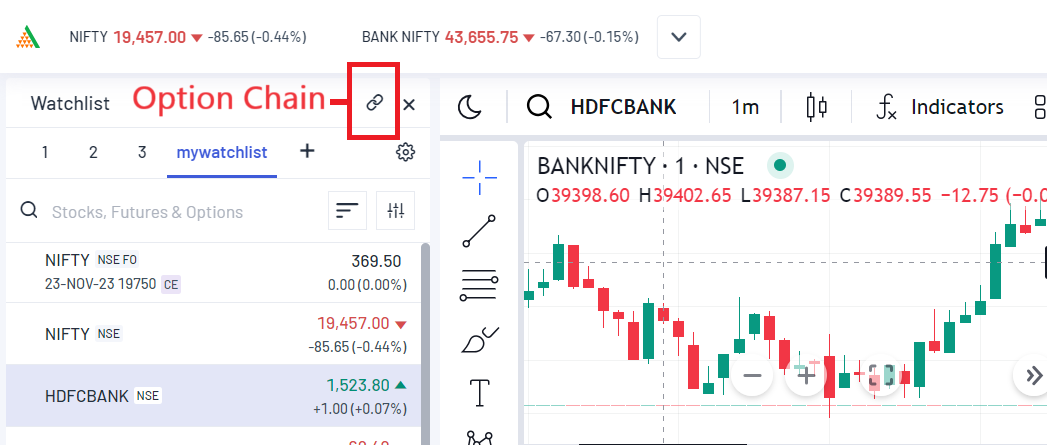
Fig.: Access point for option chain.
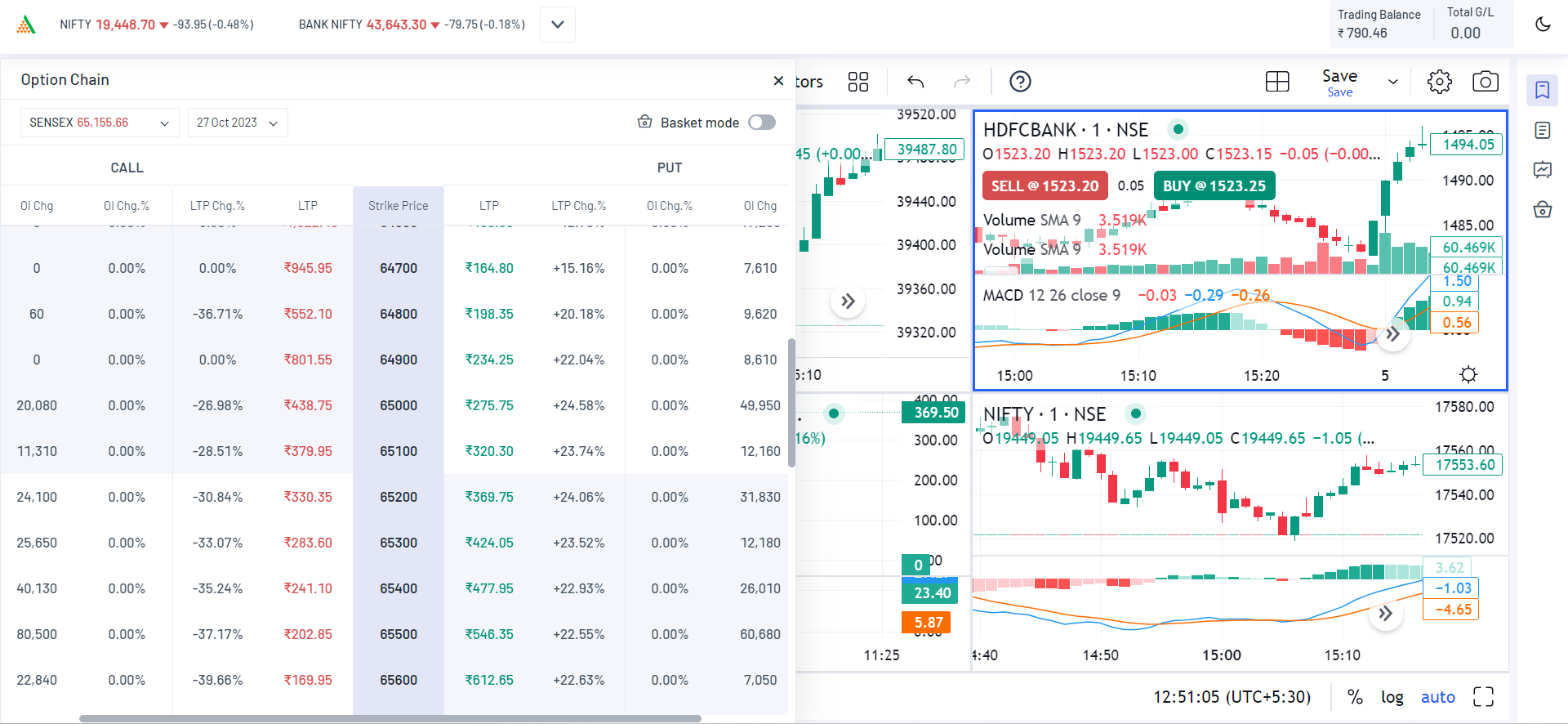
Fig.: Expanded option chain on TradeOne
- Check Market Depth and get quotes for the selected scrips. Also, you can get OHLC data and fundamental ratios.
- Check your Orders, including Open Orders, Positions, Order History, and Baskets.
- Check your Trading Balance and Total Gains/Losses from above.
- Check Your Watchlist as well as hide it once you are done.
Like usual charts, you can perform the following functions on your TradeOne chart:
- Customise the chart, including the chart layout.
- Track open orders and positions by enabling line appearance.
Benefits of TradeOne
This setup will be incredibly useful in case you want to trade options and other assets at a high frequency. In such situations, you will not have to leave the TradeOne page too may times.
You will be able to find assets, assess them, place orders, scale and manage orders and track your positions, without leaving the screen even once!
For example, assume you want to perform the following tasks while placing an order:
- Add Nifty 50 to your screen, as well as any major stocks driving its price using the multi-chart layout.
- Then Check the available option contracts from the option chain to your left, after considering their price movement, OI, market depth, etc.
- Next, you want to choose the options you want to trade, add them to a basket and then scale them by cloning.
- Thereafter, check whether the trade is taking up too much capital compared to your trading balance.
- Finally, you wish to place the order and then start tracking the option contracts from the orders section plus the order lines on the chart itself.
The entire journey given above can now be accomplished without having to switch screens a single time!
Final Words
TradeOne is a step towards the future of stock and F&O trading. It will give both new and experienced traders a much-needed platform where they can maximise the potential of both their capital and their capabilities by avoiding unnecessary manual efforts.
If the above feature seems attractive to you, open a free Demat account with Angel One today and experience trading on a whole new level! You can also give us your valuable feedback and rate our app on the Google Playstore or the iOS Appstore!
Published on: Oct 23, 2023, 7:07 PM IST


Enjoy ₹0 Account Opening Charges
Get the link to download the App